

Why Mozaik Enterprise™?


Made with Mozaik
"The software and the team behind it, is constantly improving to meet the needs of cabinet manufacturers."
JASON BALM, Waukee Cabinetworks
User Admin Controls
Effectively manage the features that users can access, view, or edit by granting fine-tuned permissions, reducing distractions, and ensuring focused productivity.
- Limit access to critical areas of the software such as CNC machine post processors, tooling properties, and more to ensure only qualified users can make changes.
- Control whether users can edit or open jobs that they did not design.
- Control whether users can see prices and markups as well as make changes. Assign user passwords and control sign-in policies.
- Assign a super admin to set up and safeguard the user admin settings.
Job Dashboard
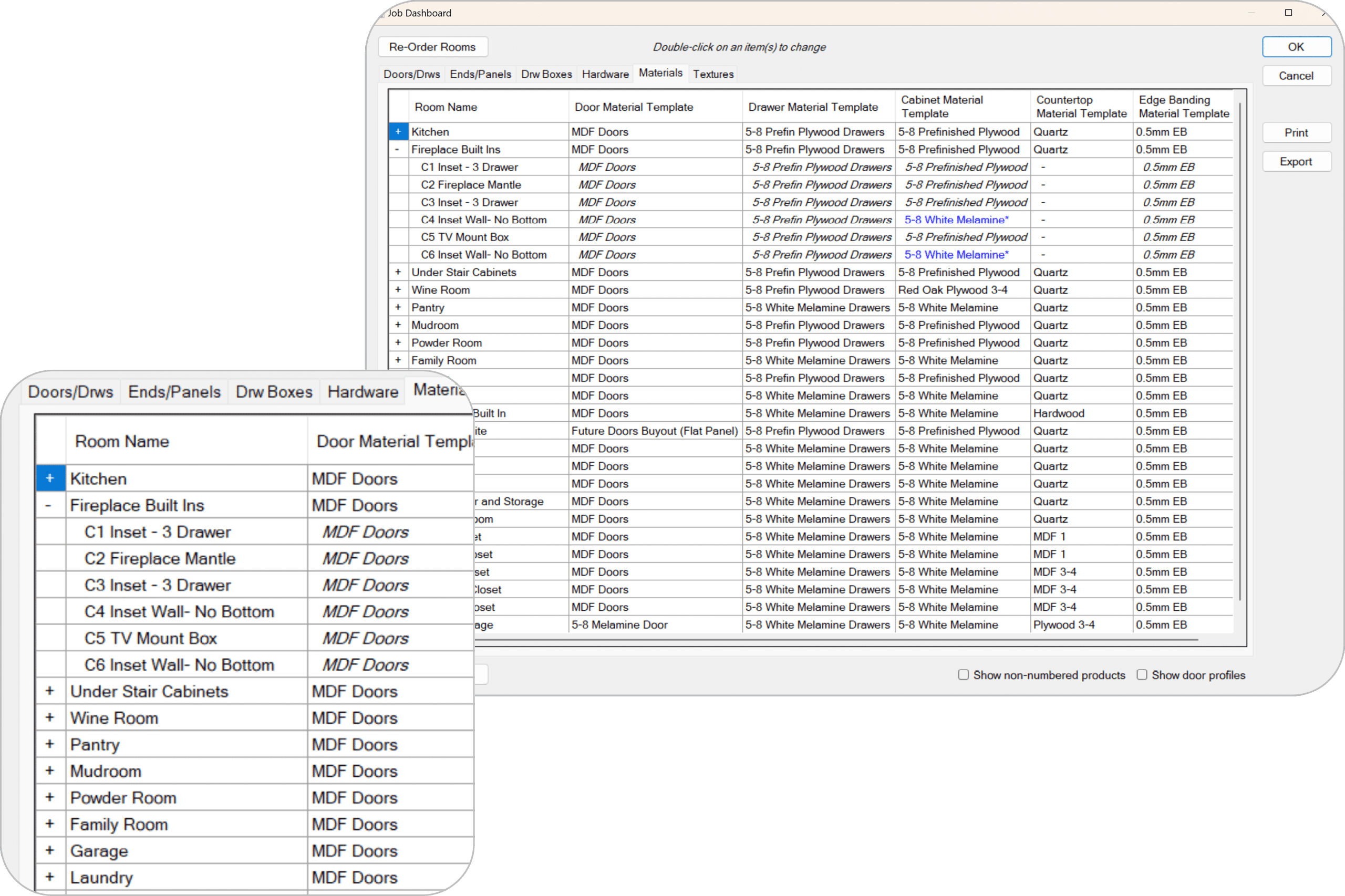
Get a comprehensive overview of your entire job from one place. Make job-wide changes to the settings of multiple rooms at once! Easily view and edit room settings and selections, while easily visualizing cabinet-level settings and overrides. This streamlines major job-wide revisions and prevents errors on the shop floor.
- View all settings for each room in your job in one convenient interface.
- Expand each room to display all settings for each cabinet within the room.
- View color-coded cabinet level overrides to quickly detect cabinets with inconsistent settings to eliminate unwanted errors before production.
- Make job-wide settings changes to multiple rooms at once!
- Reorder rooms and ensure all relevant drawings and printouts are adjusted accordingly.
- Export to CSV or print room settings.
Job Manager
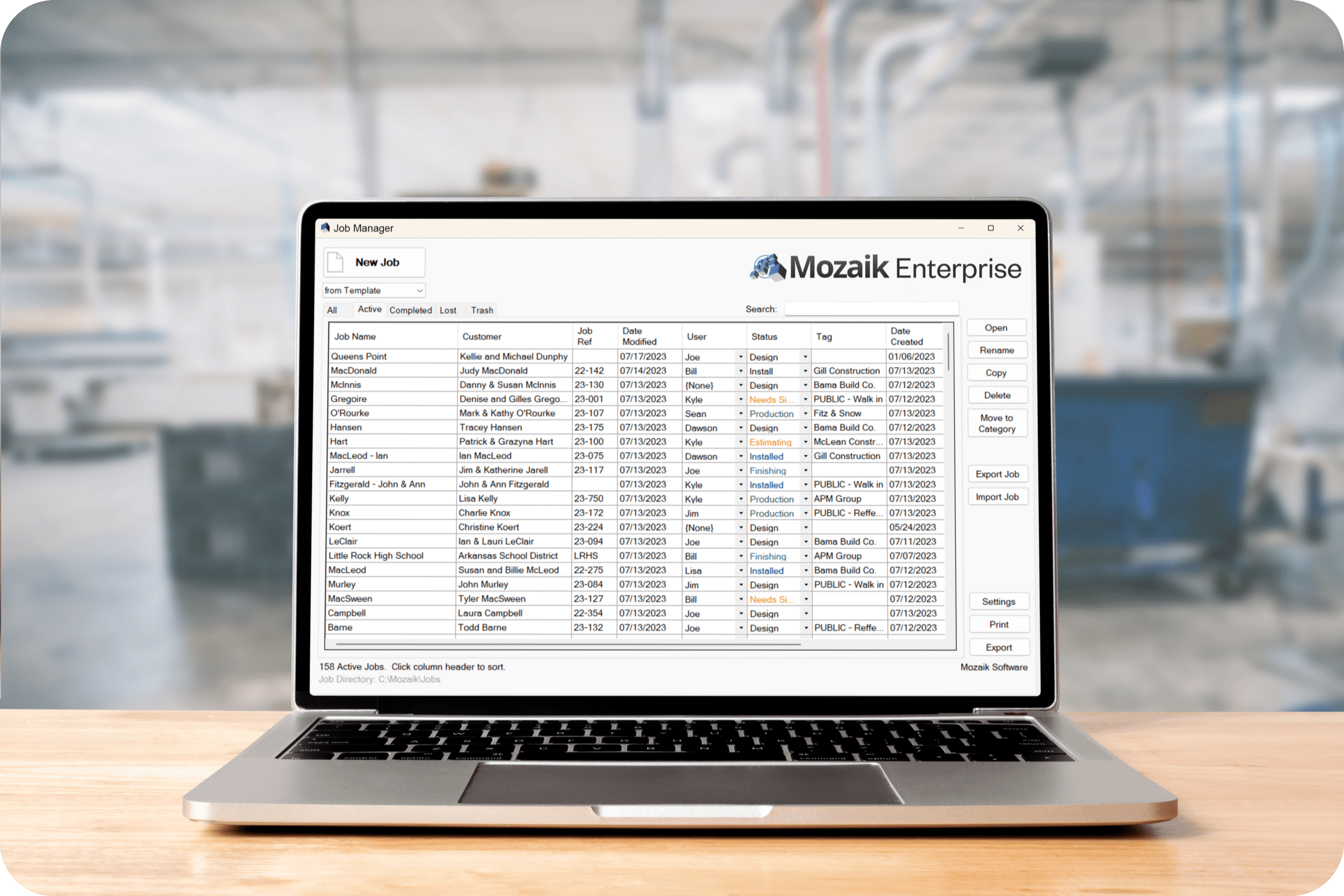
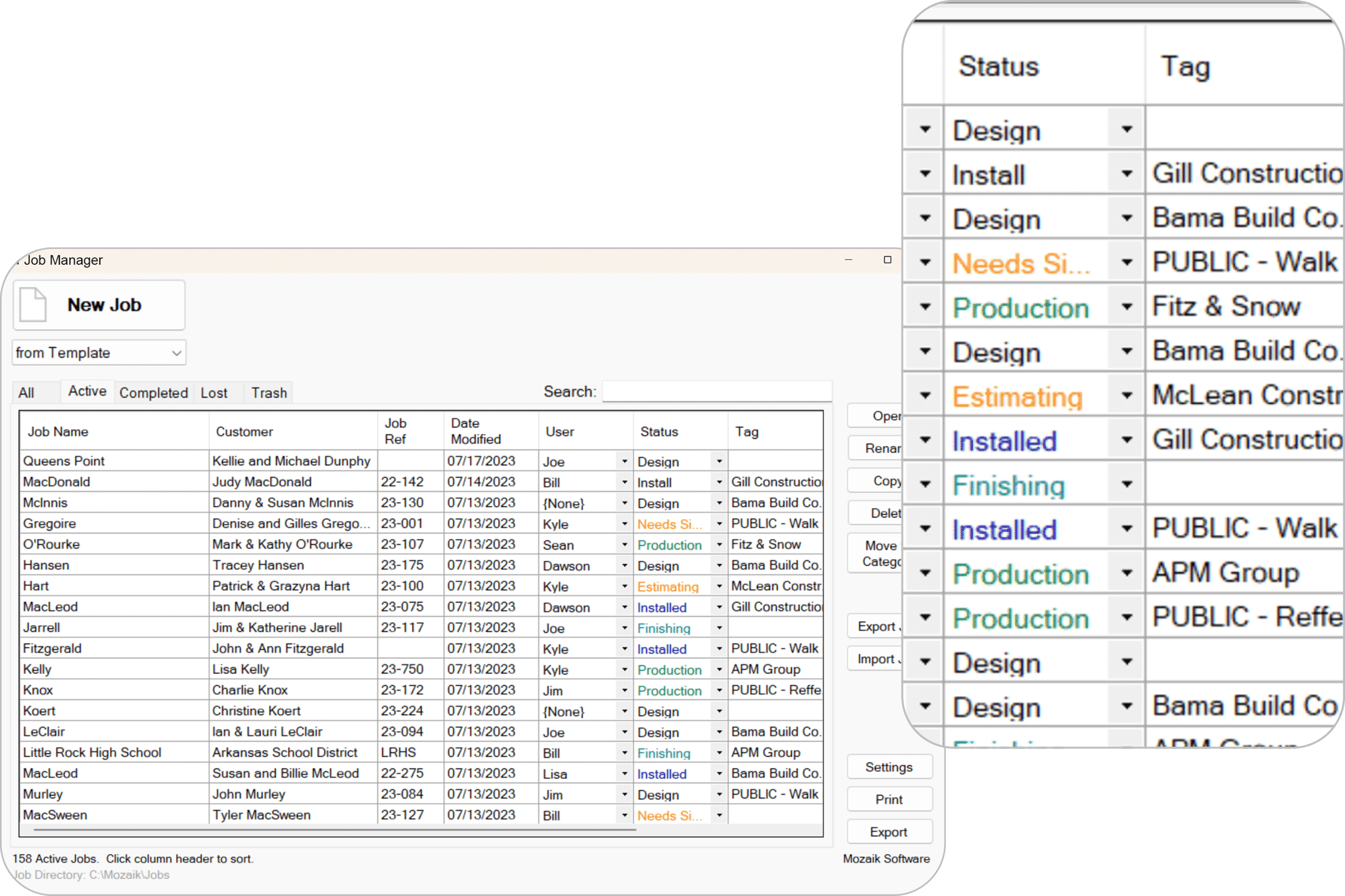
Efficiently locate, categorize, and manage projects with the improved Enterprise Job Manager tab. Get new jobs started faster by choosing a settings template before you begin and gain a high-level view of all your jobs in one place.
- Improved search functionality to quickly search for keywords in all job fields.
- Start a new job from a preset settings template.
- Define and select job tags to assign a builder or contractor.
- Ensure jobs are properly sorted by seeing your most recent jobs first. Categorize jobs as completed or lost, to keep your focus on active jobs, a core workflow advantage in enterprise cabinet software for manufacturers.
- Define and select color-coded job statuses to mark customized milestones in the manufacturing process.
- View or edit the designer of a job.
Optimize your production process for faster results
Unlock Even More with additional features
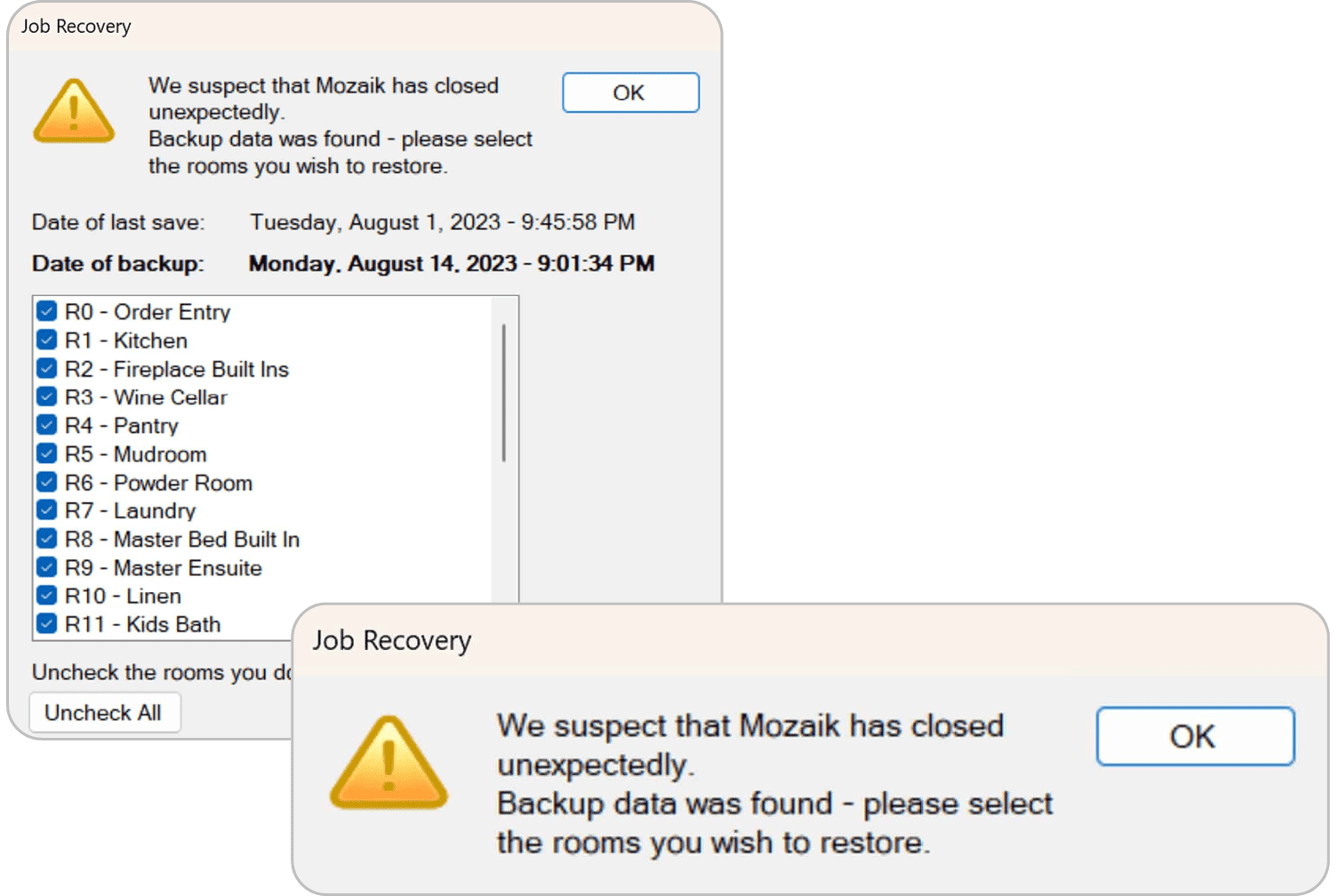
Our invaluable job recovery utility helps restore lost work for the entire job or individual rooms. Minimize progress loss and quickly resume work in case of unexpected interruptions or accidents.
- Have Mozaik detect when an unexpected closure occurs.
- Backups are saved every 5 minutes, so lost work will be kept to a minimum.
- Upon reopening a job, you will be notified that the recovered files are available.
- Pick and choose which rooms you would like to recover.
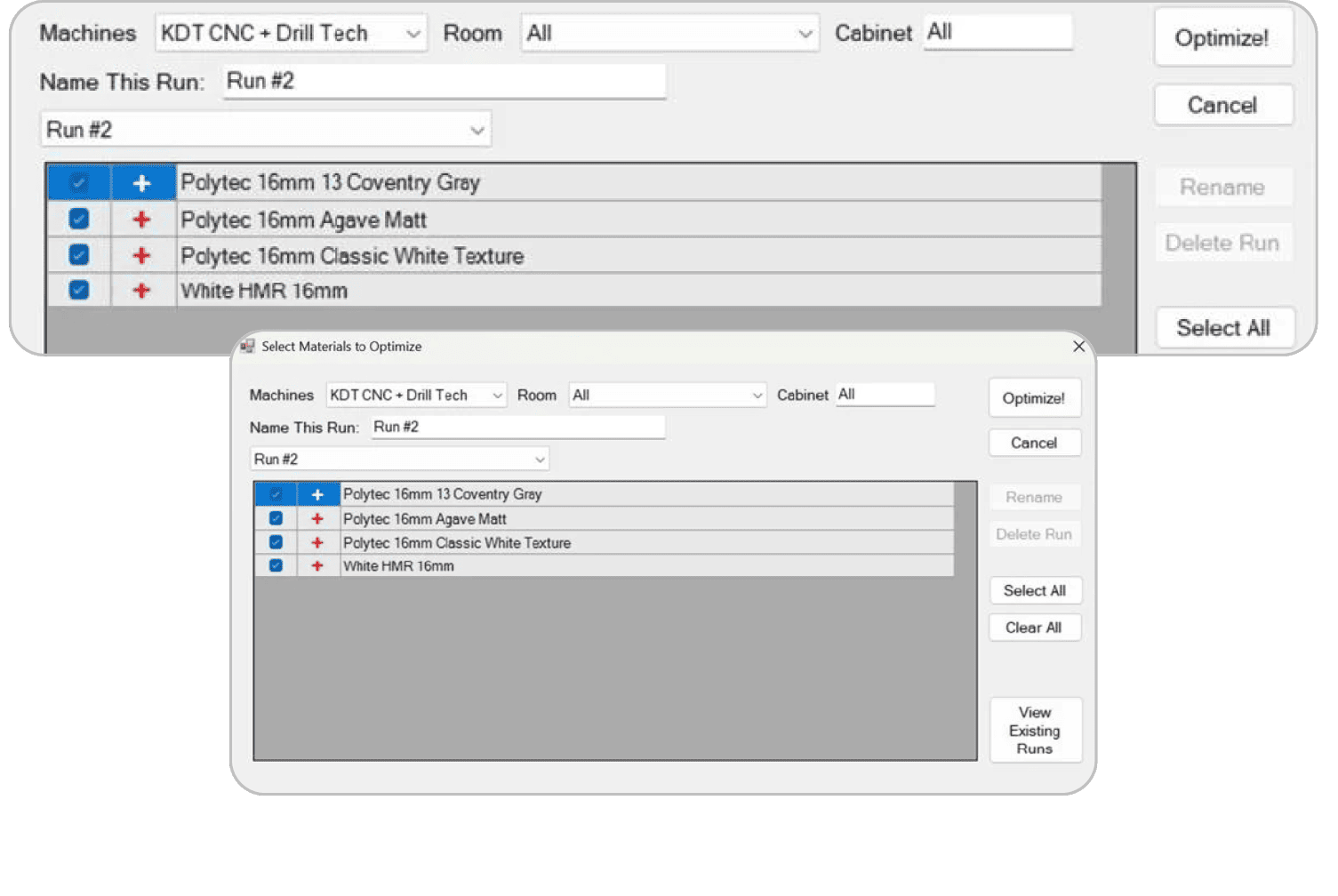
Control your production flow with precision. Mozaik lets you drip-feed jobs to the shop based on capacity—so you're never overloaded. Send specific parts to the right machines, manage rooms and cabinets separately, and cut only what’s ready. Stay lean, stay efficient.
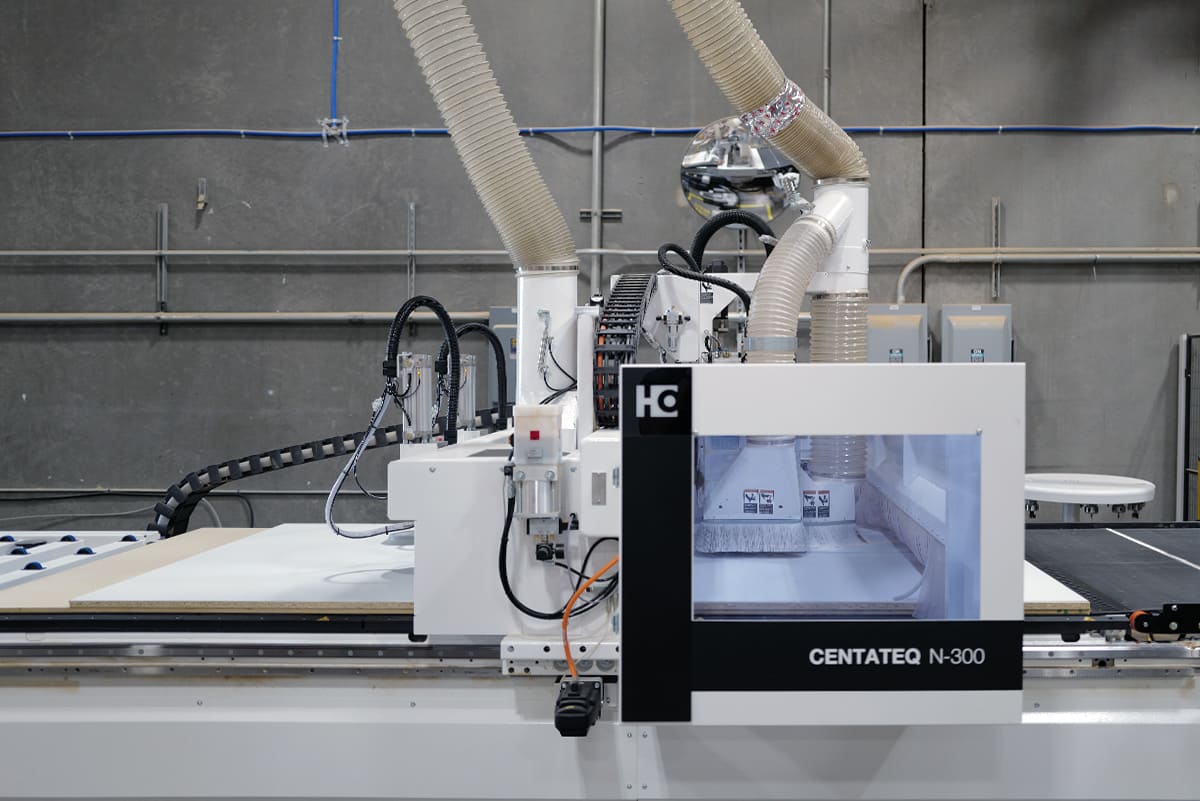
Expanded Capabilities with Mozaik Enterprise now includes enhanced support for a broader range of advanced machinery, catering to the diverse needs of modern manufacturing environments. This expansion covers horizontal borers, single-part processing CNCs, drill and dowel machines, and beam saws, providing your operation with unparalleled flexibility. With Mozaik Enterprise, you can seamlessly integrate and manage all these different types of equipment using a single, unified system. This capability not only simplifies your workflow but also optimizes productivity by allowing you to utilize the most appropriate machinery for each specific task, all under one of the most complete enterprise cabinet software solutions available.
Start your 3-month paid trial today
Powering your needs from design to production
Mozaik Enterprise™
$325 /month, billed annually
Start your 3-month paid trial today—no setup fees.
What you will receive:
- Full-featured Mozaik Enterprise desktop software with 12 months of updates.
- Includes functionality to aid customers who have many users, or are manufacturing larger scale projects.
- Enterprise allows admin level control for each user. The job dashboard will help with, or many projects a breeze.
- There are also a suite of workflow improvements for managing larger scale jobs such as multiple optimizer runs and the room dashboard.


Questions? We have answers.
It provides tools for centralized job oversight, sophisticated user management, and workflow optimization, making it ideal for large teams and complex operations.
The modular furniture software offers granular user permissions, super admin roles, and sign-in policy management to ensure only authorized personnel can access sensitive features and data.
It integrates and manages a wide range of equipment—including horizontal borers, drill and dowel machines, beam saws, and single-part CNCs—from one platform.
These include User Admin Controls, Job Dashboard, Job Manager, Optimiser Runs, Machine templates, Single-part CNC support, Drill and dowel machine support and Beam saw support.
A Mozaik subscription gives you access to the full version of your Mozaik software for the term of your subscription, plus any add-on you may have purchased. It includes access to updates and new versions.
The Cyncly Account is your new hub for managing your Mozaik subscriptions. Main functions:
- Add seats to your subscription
- Upgrade your subscription
- See and manage your subscriptions
- Access downloads and updates
- Manage your Cyncly profile
Jobs can be categorized, tagged, and tracked with color-coded statuses and designer assignments. Enhanced search and template-based job creation streamline project setup.
Automatic backups occur every five minutes for all jobs and rooms, minimizing the risk of data loss from unexpected interruptions.
You can drip-feed jobs to the shop floor, assign parts to specific machines, and manage production flow for lean manufacturing and increased efficiency.
It simplifies collaboration, making it perfect for organizations with many designers, engineers, and production staff working simultaneously.
Yes, all access to the Mozaik webstore is granted using Transport Layer Security (TLS) technology, which encrypts personal information provided during the ordering process. Therefore, your personal information is transferred through a secured channel and confidential data is protected. To ensure a high level of security, our systems use a certificate that falls in line with e-commerce industry practice. The certificate is issued by a trusted security provider. All standard web browsers support this technology and accept the certificates from trusted providers automatically. However, no company, including Cleverbridge (our trusted E-Commerce reseller), can fully eliminate security risks associated with personal information.
Mozaik Software is designed for Windows-based PCs and does not natively support macOS. However, Mac users can run Mozaik using Windows emulation or virtualization software. Mozaik Paperless Shop Apps™ can be used on Windows tablets for shop floor management, but there is no dedicated mobile app for iOS or Android devices.
All the contact information for support is available here.
You can access updates from your Cyncly Account.